Buy instantpay.eu ?
We are moving the project
instantpay.eu .
Are you interested in purchasing the domain
instantpay.eu ?
domain@kv-gmbh.de · 0541-91531010
Buy instantpay.eu ?
Is Windows 11 Pro recommended?
Windows 11 Pro is recommended for users who require advanced features such as enhanced security, remote desktop capabilities, and virtualization support. It is suitable for professionals, businesses, and power users who need a higher level of control and customization over their operating system. However, for casual users or those with basic computing needs, Windows 11 Home may be more than sufficient. Ultimately, the decision to choose Windows 11 Pro depends on the specific requirements and preferences of the user. **
Does the system support Windows 11 and Windows 11 Pro?
Yes, the system supports both Windows 11 and Windows 11 Pro. It is compatible with the latest operating system from Microsoft, providing users with access to all the features and functionalities of Windows 11. Whether it's for personal or professional use, the system can seamlessly run Windows 11 and Windows 11 Pro, ensuring a smooth and efficient user experience. **


Similar search terms for Windows-11-Pro-Office
Top-Angebote
Products related to Windows-11-Pro-Office:
-
Windows 11 Pro + Office 2024 Pro Plus (Bundle)Windows 11 Pro and Microsoft Office 2024 Professional Plus in one order: a current, fully supported setup for a new or freshly reset PC. Both are one-time purchases, and the bundle costs less than buying the two keys separately. What's in the bundle Product Includes Microsoft support Windows 11 Pro (Retail) BitLocker, Hyper-V, Windows Sandbox, Remote Desktop host, domain join Ongoing feature and security updates Microsoft Office 2024 Professional Plus Word, Excel, PowerPoint, Outlook, OneNote, Access Until 9 October 2029 You receive two keys by email, each for one PC, together with download links and setup instructions. Why this pairing Microsoft supports Office LTSC 2024 on Windows 11, not on Windows 10, whose support ended in October 2025. Buying both together means the operating system and the Office suite are covered by security updates for years, without a Microsoft 365 subscription. Setting up your PC Install Windows 11 Pro from a USB stick and enter the Windows key during setup, or later under Settings > System > Activation. Our USB installation guide covers each step. Install Office LTSC 2024 with the download link from your email. Open Word or Excel and enter the Office key. Office LTSC 2024 is activated inside the app, not at setup.office.com. Bundle or separate keys? Need Publisher? It is not part of Office 2024. The Windows 11 Pro + Office 2021 bundle still includes it, although Office 2021 support has ended. Don't use Access? Microsoft Office 2024 Standard with Windows 11 Pro is the lower-cost pairing. Already on Windows 11 Home? The Home to Pro upgrade plus Office 2024 avoids a reinstall. Bundle FAQ Can I use the two keys on different computers? Yes. Each key is a separate licence for one PC. Does the PC need to meet Windows 11 requirements? Yes: TPM 2.0, Secure Boot and a supported processor. Microsoft's PC Health Check app confirms this; the full list is in the System Requirements tab. Is there a yearly fee? No. Both licences are paid for once. More combinations on Windows and Office bundles.59,99 £*Shipping: 0,00 £Secure redirect to the provider
-
Microsoft WINDOWS 11 PROFESSIONAL PRO - Online Activation - Original For LifeBuy Microsoft Windows 11 Pro with an original lifetime licence and immediate online activation. Receive your activation key directly by email immediately after purchase and start using all the advanced features of Microsoft's most modern operating system. ✨ Key features Windows 11 Pro is the professional version of the Microsoft operating system, designed to offer maximum performance, advanced security and professional tools for work and productivity. 🔐 Advanced Security BitLocker : Full disk encryption to protect your sensitive data Windows Hello : Biometric access with facial recognition or fingerprint Integrated antivirus protection Microsoft Defender with real-time protection Device encryption : Automatic protection of your files and folders 💼 Professional Features Remote Desktop : Access your PC from anywhere securely Hyper-V : Integrated virtualisation to run virtual machines Azure AD Join : Integration with Azure Active Directory for enterprise environments Group Policy Management : Advanced control of system configurations Windows Update for companies : Customised Update Management 🚀 Performance and Productivity Improved multitasking : New Snap layouts to organise windows Virtual desktops : Create separate workspaces for different projects Customisable widgets : Quick access to the information you need Microsoft Teams integrated Simplified communication and collaboration Compatibility with Android apps : Run Android applications directly on Windows 🎨 Modern Design Renewed interface : Centred start menu and elegant design Improved dark mode : Reduces eye fatigue Fluid visual effects : Animations and optimised transitions Customisable themes Adapt Windows to your style 📋 System requirements Minimum Requirements Processor 1 GHz or higher with at least 2 cores on a 64-bit compatible processor or System on a Chip (SoC) RAM 4 GB or more Disk space 64 GB or higher Firmware UEFI, with support for Secure Boot TPM : Trusted Platform Module (TPM) version 2.0 Graphics card Compatible with DirectX 12 or higher with WDDM 2.0 drivers Display : HD screen (720p) with diagonal measurement greater than 9 inches, 8 bits per colour channel Internet connection : Request for updates and certain functionalities 📦 What you receive ✅ Original Microsoft Windows 11 Pro Lifetime Licence ✅ Activation key (Product Key) permanently valid ✅ Immediate delivery by email (within minutes of purchase) ✅ Complete installation and activation instructions in Italian ✅ Dedicated customer support for any questions or problems ✅ 100% money back guarantee if the key does not work 🔧 How Activation Works Simple and Fast Process Buy the licence in our store Receive the activation key by email immediately Install Windows 11 Pro on your PC (you can download the ISO from the Microsoft website) Activate using the key provided Enjoy Windows 11 Pro for life with no deadlines! Immediate Online Activation There is no need to wait for physical delivery. Your licence is sent instantly by...3,96 £*Shipping: 0,00 £Secure redirect to the provider
-
Windows 11 Pro + Office 2024 Pro Plus + Project Professional 2024 – Lifetime BundleWindows 11 Pro + Office 2024 Pro Plus + Project Professional 2024 – Lifetime Bundle Get everything you need for a powerful and productive PC in one complete bundle. This package combines Microsoft Windows 11 Pro, Microsoft Office Professional Plus 2024, and Microsoft Project Professional 2024, giving you a professional operating system, essential office applications, and advanced project management tools. Whether you're running a business, managing projects, working with documents, or handling everyday professional tasks, this bundle provides the essential tools to work efficiently and stay organized. What's Included Windows 11 Pro Upgrade your PC with Microsoft's professional operating system, designed for productivity, security, and business environments. Modern and intuitive Windows interface Enhanced security features with BitLocker Remote Desktop functionality Hyper-V virtualization support Domain Join and business network management Advanced device and security management features Microsoft Office Professional Plus 2024 Get access to powerful desktop applications for creating documents, managing data, preparing presentations, and handling everyday business tasks. Word 2024 – Create and edit professional documents. Excel 2024 – Analyze data, create spreadsheets, and manage calculations. PowerPoint 2024 – Design professional presentations. Outlook 2024 – Manage emails, calendars, and contacts. Access 2024 – Create and manage databases. OneNote 2024 – Organize notes and information. Microsoft Project Professional 2024 Take control of your projects with advanced planning, scheduling, and resource management tools. Professional project planning and scheduling Gantt charts and project timelines Task and resource management Project baselines and progress tracking Professional reporting and project analysis Pre-built project templates Manage complex projects and deadlines efficiently License & Delivery Digital software licenses One-time purchase (no recurring subscription) Instant digital delivery by email Product keys and installation instructions provided Download and activation guidance included Technical support available System Requirements Windows 11 Pro Processor: 1 GHz or faster, 2 or more cores, compatible 64-bit processor Memory: 4 GB RAM minimum Storage: 64 GB or larger storage device System Firmware: UEFI with Secure Boot capability TPM: Trusted Platform Module (TPM) 2.0 Graphics: DirectX 12 compatible graphics card with WDDM 2.0 driver Display: HD 720p display, larger than 9 inches Microsoft Office 2024 & Project Professional 2024 Operating System: Windows 11 Processor: 1.6 GHz or faster, dual-core processor recommended Memory: 4 GB RAM minimum Storage: At least 8 GB available for the Office and Project applications Display: 1280 × 768 screen resolution Graphics: DirectX-compatible graphics hardware Internet: Required for downloading, installation, and activation Important Compatibility Information This bundle is designed for Windows...34,24 £*Shipping: 0,00 £Secure redirect to the provider
-
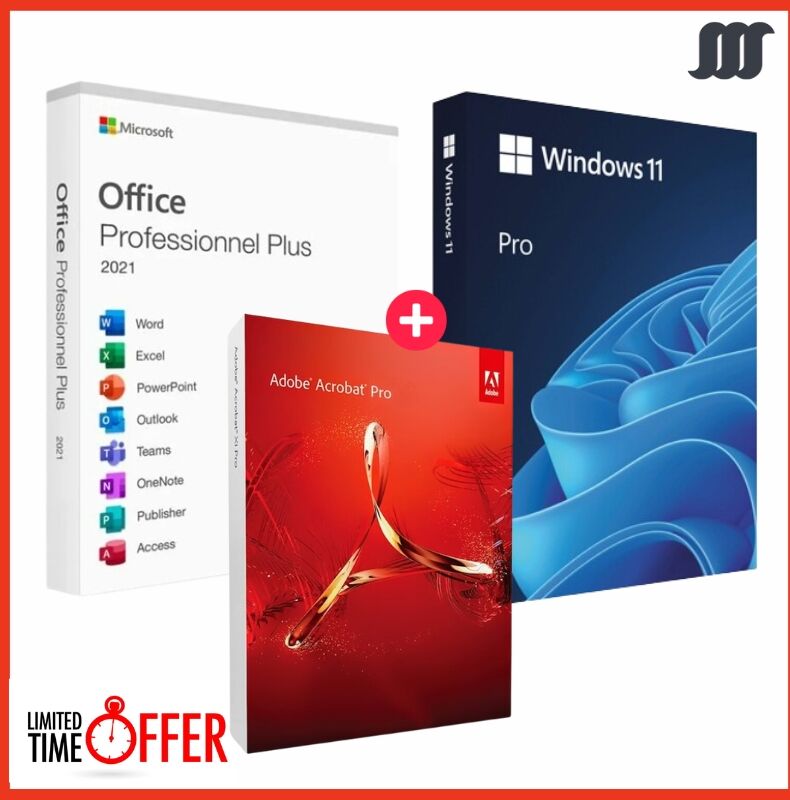
Exclusive Bundle: Office 2021 + Windows 11 Pro + Adobe Acrobat 2021You will receive 3 products: Microsoft Office 2021 Professional Plus, Adobe Acrobat Pro 2021, and Windows 11 Pro. Adobe Acrobat Pro 2021 + Office 2021 Professional Plus for 1 PC. Manual download link and invoice by email. Suitable systems for 32 and 64-bit. Works worldwide. No subscription and no time limit. Programs in Microsoft Office Pro Plus 2021: Outlook Word Excel PowerPoint Access Publisher Skype for Business Adobe Acrobat Pro 2021 – System Requirements: Platform: Windows Supported OS: Windows 10 Processor: Processor or SoC with at least 1 GHz RAM: 1 GB for 32-bit or 2 GB for 64-bit Disk Space: 16 GB for a 32-bit OS, or 20 GB for 64-bit OS Windows 11 Pro Features: Windows 11 is a significant update, modern, fresh, and transparent. It brings everything closer to you, simplified and powered by the cloud to serve you the applications and documents you need. Product Info: Genuine Microsoft Windows Product! GUARANTEED! Product Key can be used on Windows. Supports all language versions. Works worldwide. Full version product key. For more information, click here.28,63 £*Shipping: 0,00 £Secure redirect to the provider


-
What is better, Windows 11 Pro or Windows 10 Pro?
The answer to whether Windows 11 Pro is better than Windows 10 Pro depends on the specific needs and preferences of the user. Windows 11 Pro offers a more modern and streamlined user interface, improved performance, and new features such as Snap Layouts and Snap Groups. It also has enhanced security features and better support for gaming. However, some users may prefer the familiarity and stability of Windows 10 Pro, especially if they have older hardware or software that may not be fully compatible with Windows 11. Ultimately, the decision between the two will depend on individual requirements and priorities. **
-
What is the difference between Windows 11 and Windows 11 Pro?
Windows 11 and Windows 11 Pro are two different editions of the Windows 11 operating system. The main difference between the two is the target audience and the features offered. Windows 11 is designed for home users and offers essential features such as a redesigned Start menu, new snap layouts, and virtual desktops. On the other hand, Windows 11 Pro is targeted towards business users and offers additional features such as BitLocker encryption, remote desktop access, and group policy management. Windows 11 Pro also includes advanced networking and security features, making it suitable for professional use. **
-
Which version is better: Windows 10 Pro or Windows 11 Pro?
The answer to this question depends on individual needs and preferences. Windows 11 Pro offers a more modern and visually appealing interface, with new features such as Snap Layouts, Snap Groups, and virtual desktops. However, Windows 10 Pro is a stable and well-established operating system with a wide range of compatible software and hardware. Ultimately, the decision between Windows 10 Pro and Windows 11 Pro should be based on specific requirements and compatibility with existing systems and software. **
-
How do I transfer Windows 11 and Office licenses to another hard drive?
To transfer Windows 11 and Office licenses to another hard drive, you will need to deactivate the licenses on the current hard drive and then reactivate them on the new hard drive. For Windows 11, you can do this by going to Settings > Update & Security > Activation, and then selecting "Change product key" to deactivate the license. For Office, you can deactivate the license by opening any Office application, going to File > Account, and then selecting "Sign out" under the Product Information section. Once the licenses are deactivated, you can install Windows 11 and Office on the new hard drive and reactivate the licenses using the same product keys. **


Will I get Windows 11 Pro?
Whether you will get Windows 11 Pro depends on a few factors such as the current operating system you are using, the compatibility of your device with Windows 11, and the edition of Windows you are currently using. If your device meets the system requirements for Windows 11 and you are currently using Windows 10 Pro, you may be eligible for a free upgrade to Windows 11 Pro. However, if you are using a different edition of Windows or your device does not meet the requirements, you may need to purchase Windows 11 Pro separately. **
Which versions of Windows are there: Windows 10, Windows 10 Pro, or Windows 11 Pro?
There are three versions mentioned in the question: Windows 10, Windows 10 Pro, and Windows 11 Pro. Windows 10 is the standard version, while Windows 10 Pro includes additional features such as remote desktop, BitLocker encryption, and group policy management. Windows 11 Pro is the latest version, offering a new user interface, improved performance, and updated features compared to Windows 10. **
Top-Angebote
Products related to Windows-11-Pro-Office:
-
Windows 11 Pro + Office 2021 Pro Plus (Bundle)-Online ActivationWindows 11 Pro and Microsoft Office 2021 Professional Plus together in one order, for setting up a new or freshly reset PC. It costs less than buying the two keys one at a time, and you choose between phone activation and online activation. What you get Product Includes Windows 11 Pro BitLocker, Hyper-V, Windows Sandbox, Remote Desktop host, domain join Microsoft Office 2021 Professional Plus Word, Excel, PowerPoint, Outlook, OneNote, Access, Publisher One key for each product, valid on one PC. Both are sent by email after checkout with download links and instructions. Phone or online activation? Call the Microsoft Activation Center: the lower-priced option. You complete activation through Microsoft's telephone activation service by entering the codes shown on screen; we email the steps. It also works on a PC without internet access. Online Activation: enter the keys and activation completes over the internet in a few clicks. The simplest choice for most buyers. Office 2021 support status Microsoft ended support for Office 2021 in October 2026. The apps keep working, without new security updates. For an Office version supported until 9 October 2029, combine Windows 11 Pro with Microsoft Office 2024 Professional Plus or Microsoft Office 2024 Standard. Publisher is no longer part of Office 2024, so the bundle remains the option if you rely on it. Bundle FAQ Can I install Windows and Office on different PCs? Yes. They are separate keys, each for one computer. Is Office 2021 a subscription? No. Both licences are one-time purchases. Does it work on a Mac? No, both products are for Windows PCs. Mac users can see Office for Mac. More combinations: Windows and Office bundles · Office 2021 · Windows 1169,98 £*Shipping: 0,00 £Secure redirect to the provider
-
🔥 Office 2024 + Windows 11 Pro Bundle – Online Activation 🔥 Special Offer🔥 Special Bundle: Office 2024 Pro Plus LTSC + Windows 11 Pro – Genuine Lifetime Licences 🔥 💻 Official software with guaranteed online activation 📥 Product keys delivered instantly by email ✔️ Office 2024 Professional Plus LTSC + Windows 11 Professional ✔️ 100% genuine online activation (guaranteed) ✔️ Compatible with Windows 10 & Windows 11 PCs (64-bit) ✔️ Support + activation guide included ✔️ Instant delivery after purchase ✔️ Step-by-step instructions for both licences 🚀 What’s included in this bundle? ✅ Office 2024 Pro Plus LTSC: Word, Excel, PowerPoint, Outlook, Access, OneNote, Skype ✅ Windows 11 Pro: BitLocker, Remote Desktop, Official Updates ✅ Lifetime licences — no subscription, no recurring fees ✅ Ideal for professionals, businesses, students and home users 📝 How to activate Office 2024: 1️⃣ Download Office 2024 from our official link. 2️⃣ Install it and open any app (Word, Excel, etc.). 3️⃣ Go to File > Account > Change Product Key. 4️⃣ Enter the key sent by email and activate online. 📝 How to activate Windows 11 Pro: 1️⃣ Install Windows 11 from official media or via our link. 2️⃣ Go to Settings > System > Activation. 3️⃣ Click Change product key and enter the key sent by email. 4️⃣ Connect to the internet and complete online activation. 🎁 Official download links included: 🔹 Download Office 2024 (64-bit) 🔹 Download Windows 11 from Microsoft 💡 Perfect for anyone who wants productivity, stability and professional performance at the best price.6,71 £*Shipping: 0,00 £Secure redirect to the provider
-
Windows 11 Pro + Office 2024 Pro Plus (Bundle)Windows 11 Pro and Microsoft Office 2024 Professional Plus in one order: a current, fully supported setup for a new or freshly reset PC. Both are one-time purchases, and the bundle costs less than buying the two keys separately. What's in the bundle Product Includes Microsoft support Windows 11 Pro (Retail) BitLocker, Hyper-V, Windows Sandbox, Remote Desktop host, domain join Ongoing feature and security updates Microsoft Office 2024 Professional Plus Word, Excel, PowerPoint, Outlook, OneNote, Access Until 9 October 2029 You receive two keys by email, each for one PC, together with download links and setup instructions. Why this pairing Microsoft supports Office LTSC 2024 on Windows 11, not on Windows 10, whose support ended in October 2025. Buying both together means the operating system and the Office suite are covered by security updates for years, without a Microsoft 365 subscription. Setting up your PC Install Windows 11 Pro from a USB stick and enter the Windows key during setup, or later under Settings > System > Activation. Our USB installation guide covers each step. Install Office LTSC 2024 with the download link from your email. Open Word or Excel and enter the Office key. Office LTSC 2024 is activated inside the app, not at setup.office.com. Bundle or separate keys? Need Publisher? It is not part of Office 2024. The Windows 11 Pro + Office 2021 bundle still includes it, although Office 2021 support has ended. Don't use Access? Microsoft Office 2024 Standard with Windows 11 Pro is the lower-cost pairing. Already on Windows 11 Home? The Home to Pro upgrade plus Office 2024 avoids a reinstall. Bundle FAQ Can I use the two keys on different computers? Yes. Each key is a separate licence for one PC. Does the PC need to meet Windows 11 requirements? Yes: TPM 2.0, Secure Boot and a supported processor. Microsoft's PC Health Check app confirms this; the full list is in the System Requirements tab. Is there a yearly fee? No. Both licences are paid for once. More combinations on Windows and Office bundles.59,99 £*Shipping: 0,00 £Secure redirect to the provider
-
Microsoft WINDOWS 11 PROFESSIONAL PRO - Online Activation - Original For LifeBuy Microsoft Windows 11 Pro with an original lifetime licence and immediate online activation. Receive your activation key directly by email immediately after purchase and start using all the advanced features of Microsoft's most modern operating system. ✨ Key features Windows 11 Pro is the professional version of the Microsoft operating system, designed to offer maximum performance, advanced security and professional tools for work and productivity. 🔐 Advanced Security BitLocker : Full disk encryption to protect your sensitive data Windows Hello : Biometric access with facial recognition or fingerprint Integrated antivirus protection Microsoft Defender with real-time protection Device encryption : Automatic protection of your files and folders 💼 Professional Features Remote Desktop : Access your PC from anywhere securely Hyper-V : Integrated virtualisation to run virtual machines Azure AD Join : Integration with Azure Active Directory for enterprise environments Group Policy Management : Advanced control of system configurations Windows Update for companies : Customised Update Management 🚀 Performance and Productivity Improved multitasking : New Snap layouts to organise windows Virtual desktops : Create separate workspaces for different projects Customisable widgets : Quick access to the information you need Microsoft Teams integrated Simplified communication and collaboration Compatibility with Android apps : Run Android applications directly on Windows 🎨 Modern Design Renewed interface : Centred start menu and elegant design Improved dark mode : Reduces eye fatigue Fluid visual effects : Animations and optimised transitions Customisable themes Adapt Windows to your style 📋 System requirements Minimum Requirements Processor 1 GHz or higher with at least 2 cores on a 64-bit compatible processor or System on a Chip (SoC) RAM 4 GB or more Disk space 64 GB or higher Firmware UEFI, with support for Secure Boot TPM : Trusted Platform Module (TPM) version 2.0 Graphics card Compatible with DirectX 12 or higher with WDDM 2.0 drivers Display : HD screen (720p) with diagonal measurement greater than 9 inches, 8 bits per colour channel Internet connection : Request for updates and certain functionalities 📦 What you receive ✅ Original Microsoft Windows 11 Pro Lifetime Licence ✅ Activation key (Product Key) permanently valid ✅ Immediate delivery by email (within minutes of purchase) ✅ Complete installation and activation instructions in Italian ✅ Dedicated customer support for any questions or problems ✅ 100% money back guarantee if the key does not work 🔧 How Activation Works Simple and Fast Process Buy the licence in our store Receive the activation key by email immediately Install Windows 11 Pro on your PC (you can download the ISO from the Microsoft website) Activate using the key provided Enjoy Windows 11 Pro for life with no deadlines! Immediate Online Activation There is no need to wait for physical delivery. Your licence is sent instantly by...3,96 £*Shipping: 0,00 £Secure redirect to the provider
-
Is Windows 11 Pro recommended?
Windows 11 Pro is recommended for users who require advanced features such as enhanced security, remote desktop capabilities, and virtualization support. It is suitable for professionals, businesses, and power users who need a higher level of control and customization over their operating system. However, for casual users or those with basic computing needs, Windows 11 Home may be more than sufficient. Ultimately, the decision to choose Windows 11 Pro depends on the specific requirements and preferences of the user. **
-
Does the system support Windows 11 and Windows 11 Pro?
Yes, the system supports both Windows 11 and Windows 11 Pro. It is compatible with the latest operating system from Microsoft, providing users with access to all the features and functionalities of Windows 11. Whether it's for personal or professional use, the system can seamlessly run Windows 11 and Windows 11 Pro, ensuring a smooth and efficient user experience. **
-
What is better, Windows 11 Pro or Windows 10 Pro?
The answer to whether Windows 11 Pro is better than Windows 10 Pro depends on the specific needs and preferences of the user. Windows 11 Pro offers a more modern and streamlined user interface, improved performance, and new features such as Snap Layouts and Snap Groups. It also has enhanced security features and better support for gaming. However, some users may prefer the familiarity and stability of Windows 10 Pro, especially if they have older hardware or software that may not be fully compatible with Windows 11. Ultimately, the decision between the two will depend on individual requirements and priorities. **
-
What is the difference between Windows 11 and Windows 11 Pro?
Windows 11 and Windows 11 Pro are two different editions of the Windows 11 operating system. The main difference between the two is the target audience and the features offered. Windows 11 is designed for home users and offers essential features such as a redesigned Start menu, new snap layouts, and virtual desktops. On the other hand, Windows 11 Pro is targeted towards business users and offers additional features such as BitLocker encryption, remote desktop access, and group policy management. Windows 11 Pro also includes advanced networking and security features, making it suitable for professional use. **
Similar search terms for Windows-11-Pro-Office
-
Windows 11 Pro + Office 2024 Pro Plus + Project Professional 2024 – Lifetime BundleWindows 11 Pro + Office 2024 Pro Plus + Project Professional 2024 – Lifetime Bundle Get everything you need for a powerful and productive PC in one complete bundle. This package combines Microsoft Windows 11 Pro, Microsoft Office Professional Plus 2024, and Microsoft Project Professional 2024, giving you a professional operating system, essential office applications, and advanced project management tools. Whether you're running a business, managing projects, working with documents, or handling everyday professional tasks, this bundle provides the essential tools to work efficiently and stay organized. What's Included Windows 11 Pro Upgrade your PC with Microsoft's professional operating system, designed for productivity, security, and business environments. Modern and intuitive Windows interface Enhanced security features with BitLocker Remote Desktop functionality Hyper-V virtualization support Domain Join and business network management Advanced device and security management features Microsoft Office Professional Plus 2024 Get access to powerful desktop applications for creating documents, managing data, preparing presentations, and handling everyday business tasks. Word 2024 – Create and edit professional documents. Excel 2024 – Analyze data, create spreadsheets, and manage calculations. PowerPoint 2024 – Design professional presentations. Outlook 2024 – Manage emails, calendars, and contacts. Access 2024 – Create and manage databases. OneNote 2024 – Organize notes and information. Microsoft Project Professional 2024 Take control of your projects with advanced planning, scheduling, and resource management tools. Professional project planning and scheduling Gantt charts and project timelines Task and resource management Project baselines and progress tracking Professional reporting and project analysis Pre-built project templates Manage complex projects and deadlines efficiently License & Delivery Digital software licenses One-time purchase (no recurring subscription) Instant digital delivery by email Product keys and installation instructions provided Download and activation guidance included Technical support available System Requirements Windows 11 Pro Processor: 1 GHz or faster, 2 or more cores, compatible 64-bit processor Memory: 4 GB RAM minimum Storage: 64 GB or larger storage device System Firmware: UEFI with Secure Boot capability TPM: Trusted Platform Module (TPM) 2.0 Graphics: DirectX 12 compatible graphics card with WDDM 2.0 driver Display: HD 720p display, larger than 9 inches Microsoft Office 2024 & Project Professional 2024 Operating System: Windows 11 Processor: 1.6 GHz or faster, dual-core processor recommended Memory: 4 GB RAM minimum Storage: At least 8 GB available for the Office and Project applications Display: 1280 × 768 screen resolution Graphics: DirectX-compatible graphics hardware Internet: Required for downloading, installation, and activation Important Compatibility Information This bundle is designed for Windows...34,24 £*Shipping: 0,00 £Secure redirect to the provider
-
Exclusive Bundle: Office 2021 + Windows 11 Pro + Adobe Acrobat 2021You will receive 3 products: Microsoft Office 2021 Professional Plus, Adobe Acrobat Pro 2021, and Windows 11 Pro. Adobe Acrobat Pro 2021 + Office 2021 Professional Plus for 1 PC. Manual download link and invoice by email. Suitable systems for 32 and 64-bit. Works worldwide. No subscription and no time limit. Programs in Microsoft Office Pro Plus 2021: Outlook Word Excel PowerPoint Access Publisher Skype for Business Adobe Acrobat Pro 2021 – System Requirements: Platform: Windows Supported OS: Windows 10 Processor: Processor or SoC with at least 1 GHz RAM: 1 GB for 32-bit or 2 GB for 64-bit Disk Space: 16 GB for a 32-bit OS, or 20 GB for 64-bit OS Windows 11 Pro Features: Windows 11 is a significant update, modern, fresh, and transparent. It brings everything closer to you, simplified and powered by the cloud to serve you the applications and documents you need. Product Info: Genuine Microsoft Windows Product! GUARANTEED! Product Key can be used on Windows. Supports all language versions. Works worldwide. Full version product key. For more information, click here.28,63 £*Shipping: 0,00 £Secure redirect to the provider
-
Windows 10/11 Professional Digital License – Online Activation🔥 Windows 10/11 Professional – Original Lifetime License 🔥 💻 Official software + guaranteed online activation 📥 Product key with instant digital delivery ✔️ Full genuine version of Windows 10 Professional or Windows 11 Professional ✔️ 100% genuine and guaranteed online activation ✔️ Compatible with Windows 10 and Windows 11 PCs ✔️ Support in English and Spanish ✔️ Instant delivery by email ✔️ Includes a simple step-by-step activation guide 🚀 Main features: ✅ Lifetime license (no subscriptions or monthly fees) ✅ Official Microsoft security and updates ✅ Ideal for both professional and personal use ✅ Compatible with advanced features like BitLocker and Remote Desktop 📝 How to activate online: 1️⃣ Install Windows 10 Pro or Windows 11 Pro from official media or from the link provided. 2️⃣ Go to Settings > System > Activation. 3️⃣ Click on Change product key. 4️⃣ Enter the key we send to your email. 5️⃣ Make sure you are connected to the internet and follow the steps to complete the online activation. 📌 Take advantage of this limited-time offer and get your Windows 10/11 Professional at the best price! Windows 10/11 Professional Digital License BUY WINDOWS 10/11 PROFESSIONAL ACTIVATION KEY AND RECEIVE IT IMMEDIATELY. ALL OUR LICENSES INCLUDE LIFETIME WARRANTY/SUPPORT! This license allows you to activate either Windows 10 Pro or Windows 11 Pro on your PC. Buy now and we will instantly send your product key to your email. This is a one-time license and the activation key is only valid for installation on 1 PC. Windows 10/11 Professional product key gives you the possibility to activate the software anywhere in the world. We offer affordable pricing and lifetime warranty on all activation licenses. How is the buy process? Buy a genuine Windows 10/11 Pro key from our website Immediately after your payment, the license will be sent to the email address you provided Download the Windows installer from Microsoft official website: 👉 Windows 10 👉 Windows 11 Follow the instructions on the Microsoft website to download and install Once installed, enter the unique activation key that you purchased from us The key will be authenticated with Microsoft automatically and activation will be completed This license also allows you to upgrade from Windows 10 Home to Pro or from Windows 11 Home to Pro Description Windows 10/11 Pro provides a modern workspace with advanced security, productivity, and professional tools, ideal for home and business. Windows 11 Pro brings a refreshed interface, optimized multitasking, Android app integration, BitLocker encryption, and gaming improvements. Windows 10 Pro remains highly compatible and stable for older apps and devices. This key gives you the flexibility to choose the version that best suits your needs — Windows 10 Pro or Windows 11 Pro.6,71 £*Shipping: 0,00 £Secure redirect to the provider
-
Exclusive Bundle: Microsoft Office 365 + Windows 11 Pro + Adobe Acrobat 2021Exclusive Bundle: Microsoft Office 365 + Windows 11 Pro + Adobe Acrobat 2021 Elevate your digital experience with our exclusive bundle, featuring three powerful products: Microsoft Office 365 Professional Plus (1 Year Subscription): Access essential programs like Word, Excel, PowerPoint, Access, Publisher, and Skype for Business. Includes a 1-year subscription with an activation account. If you want an Activation key to renew your subscription here is the right product for you ( https://mm3digital.com/product/microsoft-office-365-subscription-1-year-product-key/ Enjoy the latest features and updates, with cloud-based access across all your devices. Adobe Acrobat Pro 2021 ( lifetime ) private direct link to the pre-activated version, not a key or account.: Create, edit, and manage PDFs with ease. Ideal for professionals who need advanced document tools. Suitable for both 32-bit and 64-bit systems. Works worldwide with no subscription and no time limit. Windows 11 Pro: Experience a modern, fresh, and transparent operating system. Simplified and powered by the cloud to bring your applications and documents closer to you. Designed for enhanced productivity and security. System Requirements: Platform: Windows Supported OS: Windows 10 or later Processor: At least 1 GHz processor or SoC RAM: 1 GB for 32-bit or 2 GB for 64-bit systems Disk Space: 16 GB for 32-bit or 20 GB for 64-bit OS Product Info: Genuine Microsoft Windows Product! GUARANTEED! Product Key can be used on Windows. Supports all language versions and works worldwide. Full version product key.28,63 £*Shipping: 0,00 £Secure redirect to the provider
-
Which version is better: Windows 10 Pro or Windows 11 Pro?
The answer to this question depends on individual needs and preferences. Windows 11 Pro offers a more modern and visually appealing interface, with new features such as Snap Layouts, Snap Groups, and virtual desktops. However, Windows 10 Pro is a stable and well-established operating system with a wide range of compatible software and hardware. Ultimately, the decision between Windows 10 Pro and Windows 11 Pro should be based on specific requirements and compatibility with existing systems and software. **
-
How do I transfer Windows 11 and Office licenses to another hard drive?
To transfer Windows 11 and Office licenses to another hard drive, you will need to deactivate the licenses on the current hard drive and then reactivate them on the new hard drive. For Windows 11, you can do this by going to Settings > Update & Security > Activation, and then selecting "Change product key" to deactivate the license. For Office, you can deactivate the license by opening any Office application, going to File > Account, and then selecting "Sign out" under the Product Information section. Once the licenses are deactivated, you can install Windows 11 and Office on the new hard drive and reactivate the licenses using the same product keys. **
-
Will I get Windows 11 Pro?
Whether you will get Windows 11 Pro depends on a few factors such as the current operating system you are using, the compatibility of your device with Windows 11, and the edition of Windows you are currently using. If your device meets the system requirements for Windows 11 and you are currently using Windows 10 Pro, you may be eligible for a free upgrade to Windows 11 Pro. However, if you are using a different edition of Windows or your device does not meet the requirements, you may need to purchase Windows 11 Pro separately. **
-
Which versions of Windows are there: Windows 10, Windows 10 Pro, or Windows 11 Pro?
There are three versions mentioned in the question: Windows 10, Windows 10 Pro, and Windows 11 Pro. Windows 10 is the standard version, while Windows 10 Pro includes additional features such as remote desktop, BitLocker encryption, and group policy management. Windows 11 Pro is the latest version, offering a new user interface, improved performance, and updated features compared to Windows 10. **
* All prices are inclusive of VAT and, if applicable, plus shipping costs. The offer information is based on the details provided by the respective shop and is updated through automated processes. Real-time updates do not occur, so deviations can occur in individual cases. ** Note: Parts of this content were created by AI.